
Build your own help center
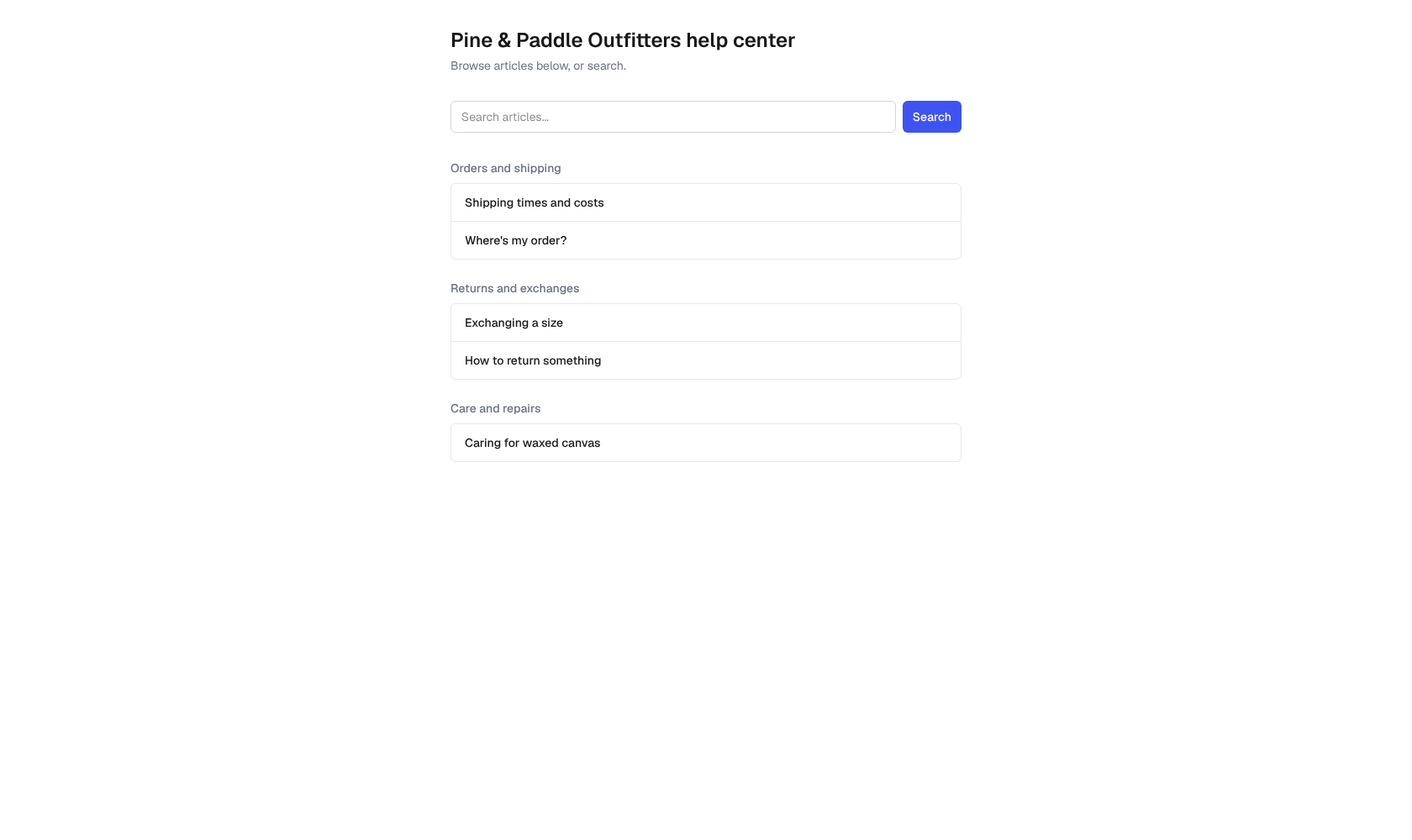
Your help center is a public website of how-to articles your customers can search without signing in. Good articles answer questions before they become emails.
Owners and admins write them in Docs in the menu.
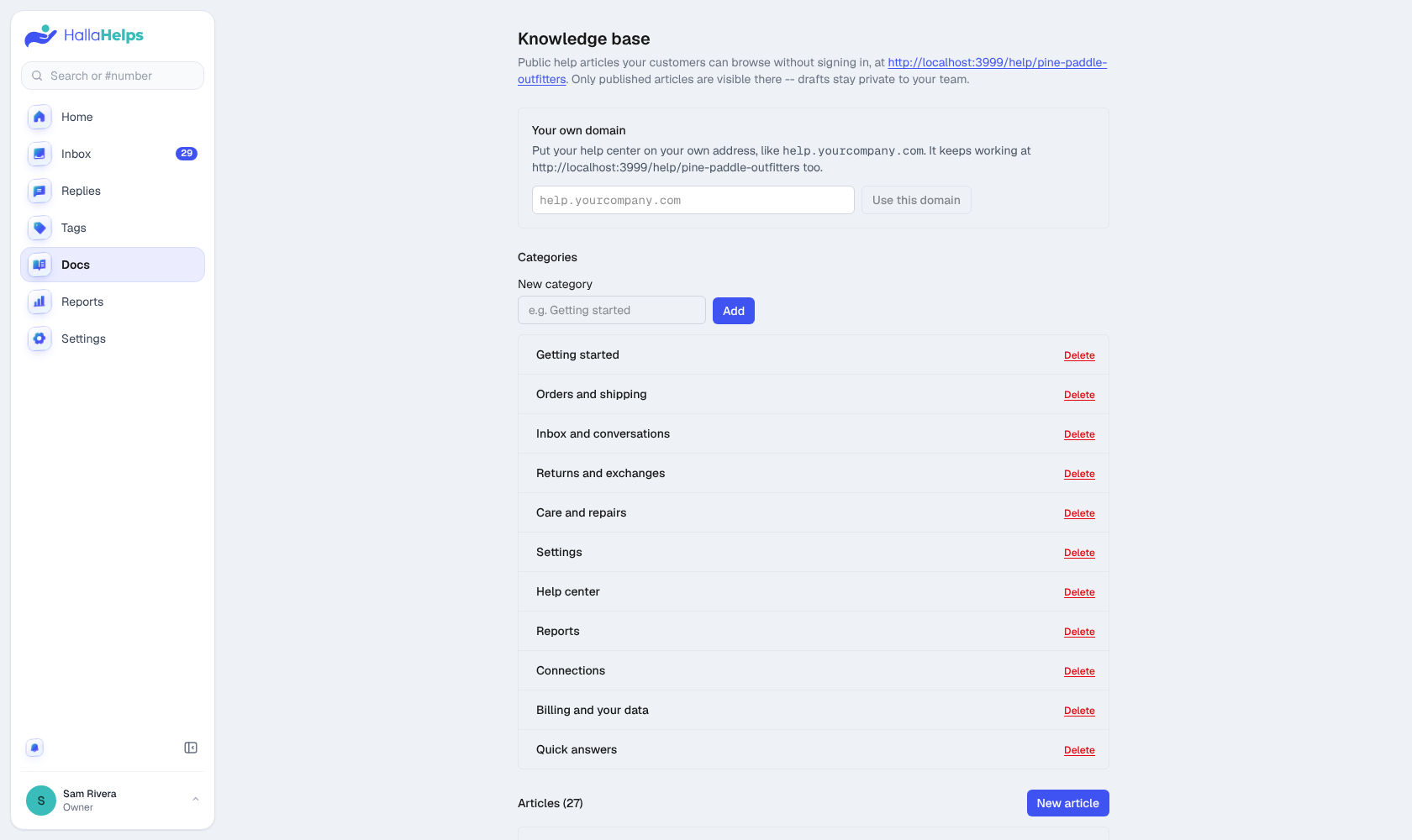
- Add a few categories (for example Orders and shipping, Returns).
- Click New article, write it, pick a category and save it as a draft.
- Publish it when it's ready. Only published articles are public; drafts stay private to your team.
Articles are listed A to Z within each category. To put one first (a "Start here" guide, say), give it a Position: 1 is first, 2 is next, and articles without one follow, A to Z.
Your logo at the top of the help center can take people back to your website: fill in Logo link in Docs (for example https://yourcompany.com) and save. Leave it empty and the logo isn't a link.
Use the buttons above the article box for bold, italic, headings, bullet and numbered lists, links and pictures (PNG, JPG, WebP or GIF; big photos are shrunk for you). Preview shows the article the way your customers will see it.
Your company logo (Settings > Company > Branding) shows at the top of your help center.
Your public help center
Its address is shown at the top of the Docs page. Link to it from your website and your email signature.
Your own domain (Pro)
Put your help center on your own address, like help.yourcompany.com. Enter it at the top of the Docs page, add the DNS record it shows you at your domain host, then click Check now. New records can take a little while to show up. The old address keeps working too.
Tips
- Write the title as the question customers ask ("Where's my order?").
- Keep each article to one task.
- When you answer the same question twice, turn it into an article and a saved reply.