
Notes, following and seeing who's on a ticket
Internal notes
Click Internal note to write something only your team sees, like "Checked with the warehouse, ships Monday." Notes show in amber in the conversation and are never emailed to the customer. You can edit or delete your own notes.
Follow a conversation
Click Follow in the Details panel to keep a conversation in your Following section without assigning it to yourself. Handy for a VIP or something you promised to check on.
See who else is on it
HallaHelps shows when a teammate has the same conversation open, so two people don't answer the same customer:
- Yellow: "Lori is here." A teammate is looking at it. The newest message gets a yellow outline.
- Red: "Lori is replying." A teammate is typing a reply. The outline turns red.
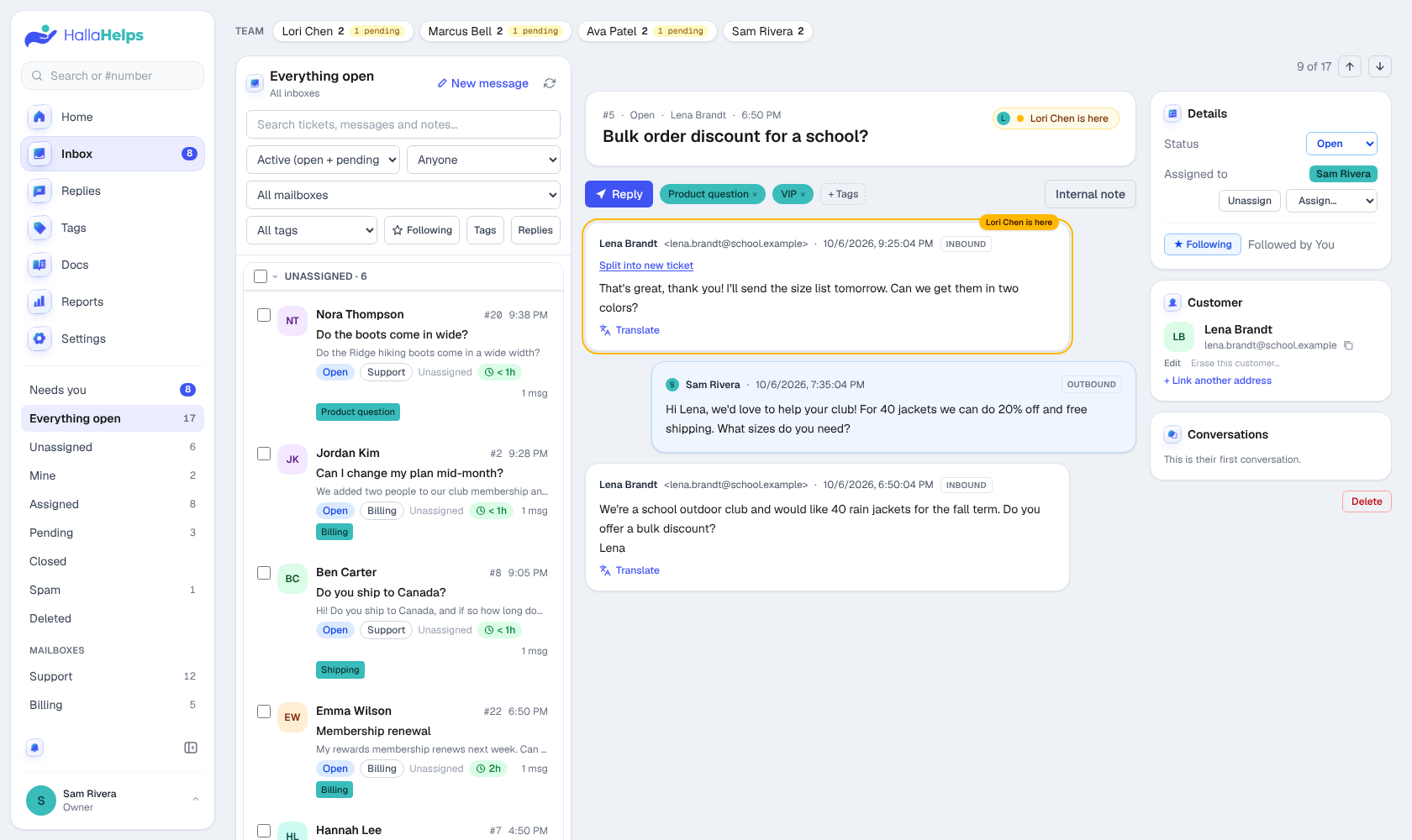
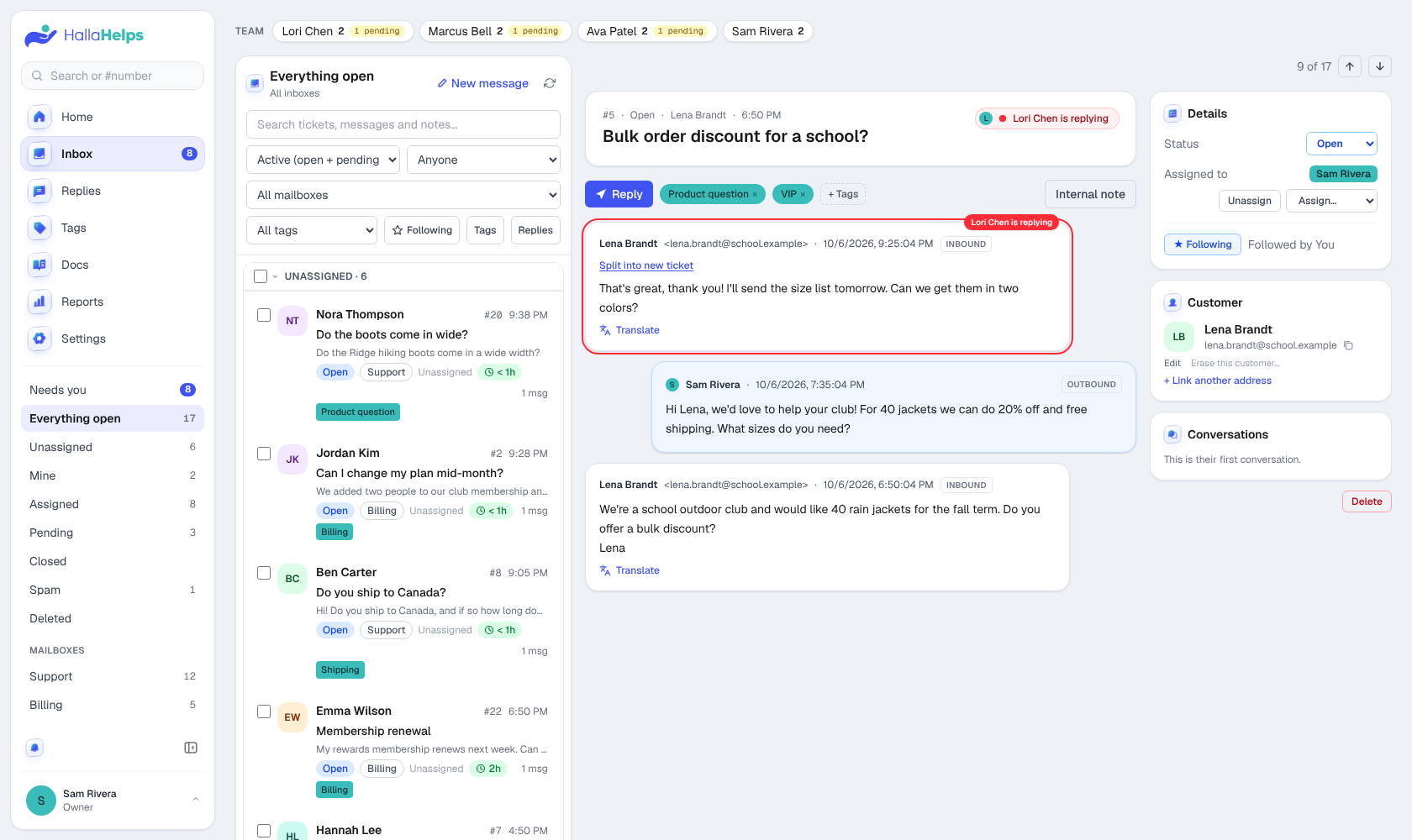
The same colors show on their photo in the inbox list. When they leave or send, it clears within a few seconds.
Assigning
Assign a conversation to the person who should answer it. Needs you shows each person their own open conversations plus the ones nobody has taken yet. The team chips above the inbox list show how many each person has open.